
How to Increase Team Productivity in the Modern Workplace
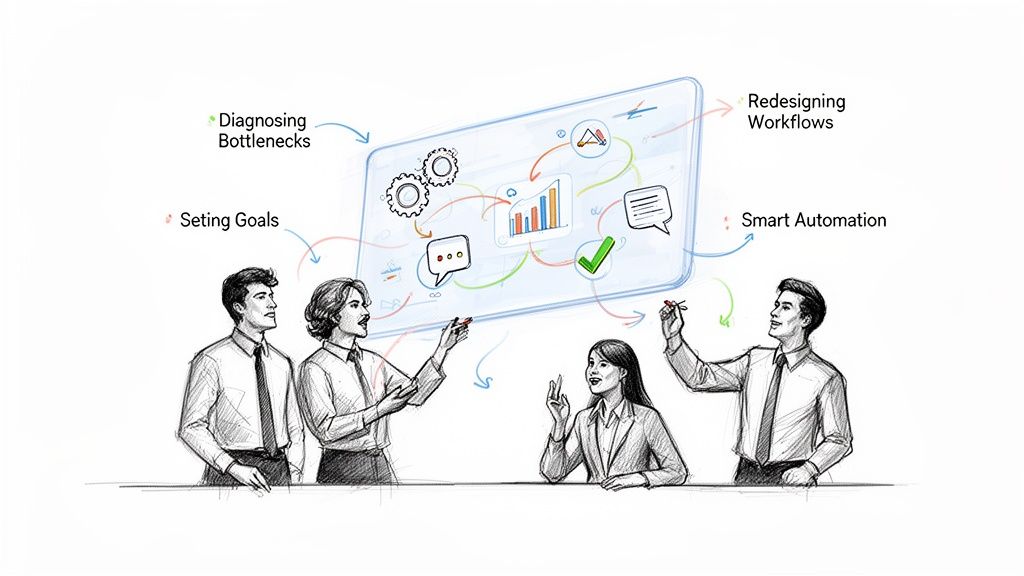
Boosting your team’s productivity isn’t about cracking a whip or demanding longer hours. It’s about finding and fixing the little points of friction that slow everyone down, then pointing them all in the same direction. It means digging into your workflows, setting goals that actually mean something, automating the grunt work, and cleaning up how you communicate.
The True Cost of Lost Productivity and How to Reclaim It
Let’s talk about the elephant in the room: inefficiency and disengagement are silent killers of your company’s bottom line. It’s not just about a project being a day late. It’s a real, measurable economic drain that adds up every single day. When your team is stuck in a loop of repetitive tasks, confusing priorities, and endless interruptions, you’re not getting their best work. Worse, you’re paving the road to burnout.
The numbers are pretty stark. In 2025, it’s projected that only 21% of employees around the world will feel truly engaged with their work. This apathy cost the global economy an eye-watering $438 billion in lost productivity just last year. But here’s the flip side: getting this right could add a staggering $9.6 trillion to the world economy.
The most telling stat for any leader? 70% of a team’s engagement is tied directly to their manager. That puts the power to change things squarely in your hands.
Your Roadmap to a More Productive Team
The good news is that you can turn this around. Boosting productivity is about working smarter, not harder. This guide is a practical playbook—no fluff, just actionable steps to help you transform how your team operates.
Here’s a look at what we’ll cover:
- Uncover the Real Bottlenecks: First things first, we’ll pinpoint what’s actually slowing you down. Is it chaotic information? Constant context switching? Understanding the pain points is half the battle. Getting your house in order with knowledge management best practices is often a great place to start.
- Set Goals That Actually Motivate: Next, we’ll get into setting clear, compelling objectives that connect what your team does every day to the bigger company vision.
- Automate the Annoying Stuff: I’ll show you how to use simple automation tools, like the templates in Sagekit, to get rid of the “busywork” and free up your team for what really matters.
- Clean Up Communication: Finally, we’ll tackle meeting hygiene and asynchronous communication to protect everyone’s deep-work time.
This simple, three-stage process of diagnosing, strategizing, and automating is the core of our approach.
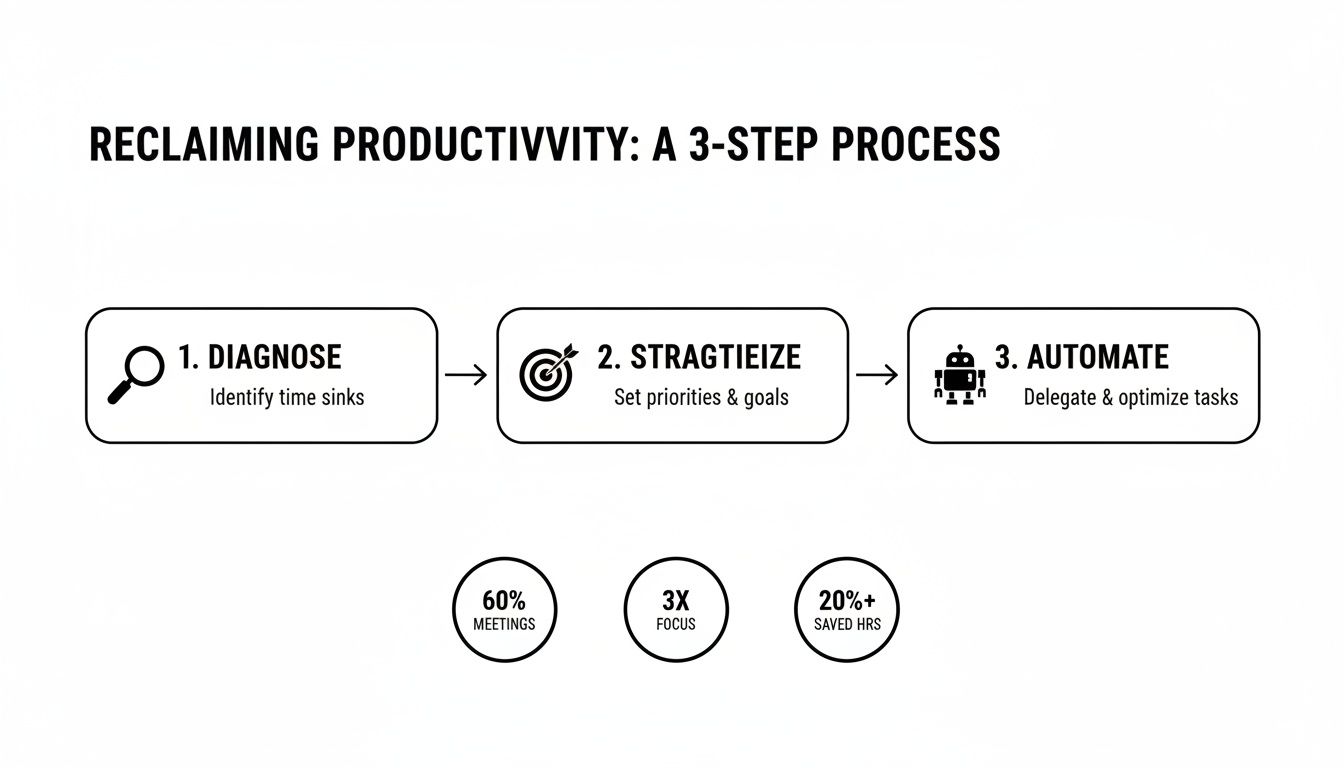
It all starts with truly understanding the problem before you jump to solutions. By following this path, you’re not just looking for a quick fix; you’re building a system for sustainable, long-term improvement.
Diagnosing Your Team’s Hidden Productivity Killers
Before you can make your team more productive, you have to figure out what’s holding them back in the first place. You can’t fix a problem you don’t see. This isn’t about micromanaging; it’s about getting an honest look at the daily friction that quietly eats up hours of valuable time. We need to dig deeper than surface-level problems and really examine the systems, tools, and ingrained habits that make up a typical workday.
Often, the biggest productivity drains aren’t some catastrophic failure. They’re the small, mind-numbing tasks that chip away at energy and focus all day long. Think of it as death by a thousand cuts. A few minutes lost hunting for a document here, another five spent manually copying data from one app to another there—on their own, they seem trivial. But together, they create a massive drag on your team’s momentum.
Uncovering Bottlenecks Through a Workflow Audit
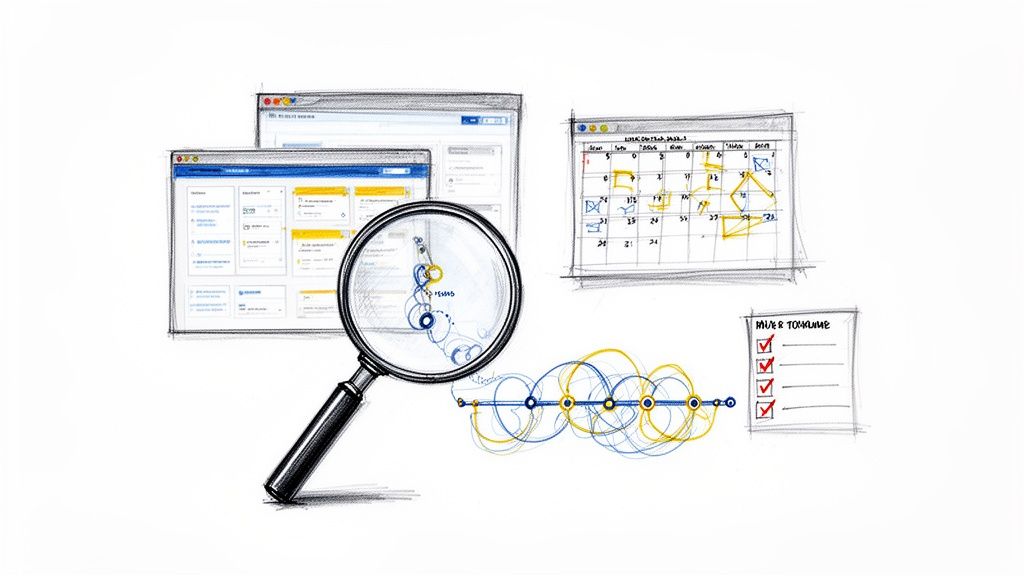
A workflow audit is your best diagnostic tool. Forget standing over someone’s shoulder; this is a collaborative effort to map out how work actually gets done, from A to Z. Get in a room with your team and trace the journey of a common task. For a marketing team, that might mean following a blog post from a simple idea to a published article. For sales, it could be tracking a new lead from first contact to a closed deal.
When you do this, patterns will start to emerge. You’ll see exactly where things get stuck. Are people always waiting around for approvals at a specific stage? Is crucial information getting lost in translation between different software platforms? The goal here is to pinpoint these friction points without playing the blame game.
A great way to get the conversation started is with a few open-ended questions:
- What’s the most frustrating or repetitive task you have to do every single week?
- Where do you waste the most time just trying to find the information you need?
- If you had a magic wand, what’s the one part of your job you would automate right now?
The answers to these questions are pure gold. They almost always point to the hidden “work about work”—all the administrative overhead that sucks up time but doesn’t actually push important projects forward.
Analyzing Data for Deeper Insights
While firsthand feedback from your team is essential, hard data gives you objective proof of where the time is really going. A crucial first step is learning how to measure developer productivity and the output of other roles without making everyone feel like they’re under a microscope. Remember, you’re looking for patterns, not policing individuals.
For example, digging into your project management software might reveal that a certain type of task consistently blows past its deadline. That’s probably not the fault of the person doing the work. More likely, it points to an unrealistic timeline, a lack of resources, or a hidden dependency that’s causing a roadblock. Likewise, a quick calendar analysis might show that your team is spending 30% of its week in meetings, many with fuzzy agendas and no clear outcomes.
Key Takeaway: The best productivity diagnostics combine human insight with objective data. Listen to what your team says is frustrating, then use data to confirm and quantify the real-world impact of those frustrations.
Identifying Common Productivity Killers
As you audit workflows and talk with your team, you’ll start to spot some familiar culprits that plague almost every modern workplace. These are the low-hanging fruit—the problems you can solve for a quick and noticeable win.
Keep an eye out for these classic red flags:
| Productivity Killer | The Hidden Cost |
|---|---|
| Context Switching | Bouncing between ten different apps destroys focus. It can take over 20 minutes to get back on track. |
| Information Silos | Time wasted hunting for files in email, Slack, and a dozen shared drives instead of actually working. |
| Repetitive Data Entry | Manually copying and pasting info isn’t just boring; it’s a recipe for costly mistakes. |
| Inefficient Meetings | Vague agendas and no clear action items turn what should be collaboration into a massive time sink. |
Just spotting these issues is half the battle. When you bring them up, frame each one not as a failure, but as an opportunity. Every bottleneck you uncover is a chance to redesign a broken process, bring in a better tool, or set up some smart automation that gives your team back its most valuable resource: time.
Setting Clear Goals and Redesigning Workflows for Impact
Once you’ve diagnosed what’s slowing your team down, it’s time to chart a new course. This isn’t about minor adjustments; it’s about fundamentally rethinking how work gets done. I’ve found that the most powerful way to drive real change is to combine crystal-clear goals with completely re-engineered workflows that are built to achieve them.
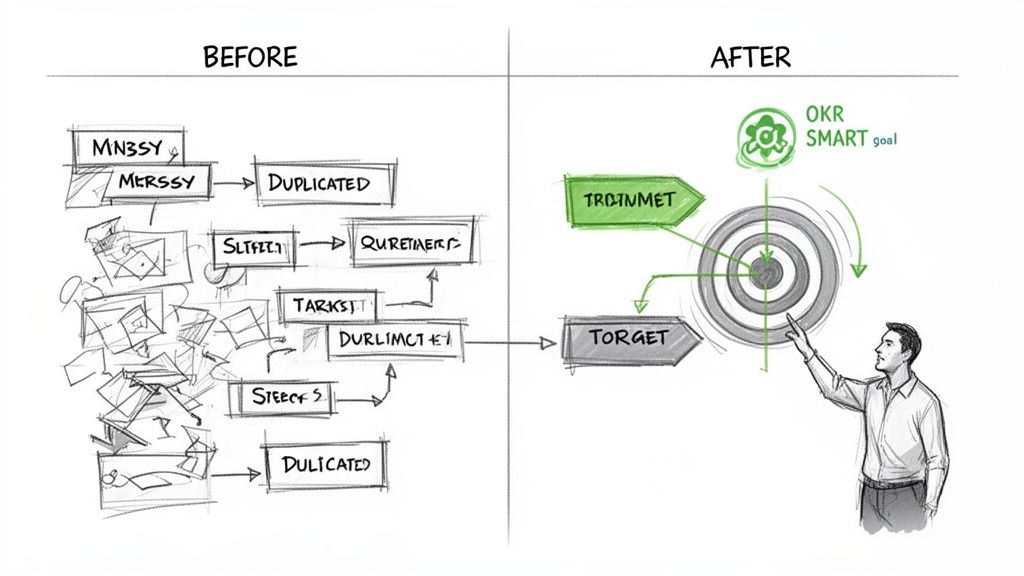
Vague objectives like “improve marketing” just lead to scattered efforts and wasted energy. When no one really knows what the finish line looks like, every path seems equally valid, and the team spins its wheels. This is where a good framework brings much-needed structure.
From Vague Ideas to Actionable Objectives
Frameworks like SMART goals (Specific, Measurable, Achievable, Relevant, Time-bound) and OKRs (Objectives and Key Results) are popular for a reason—they force you to define success in no uncertain terms. An objective is your ambitious, big-picture goal, while key results are the measurable mile markers that prove you’re on the right track.
Let’s look at a real-world example for a marketing team.
- The Vague Goal: “Increase our online presence.” (What does this even mean?)
- The OKR-Driven Goal:
- Objective: Become the go-to resource in our industry by the end of Q3.
- Key Result 1: Increase organic search traffic to the blog by 40%.
- Key Result 2: Publish 12 in-depth articles targeting high-intent keywords.
- Key Result 3: Secure 5 guest post placements on industry-leading publications.
See the difference? It’s night and day. The second version gives every single team member a clear picture of what success looks like and how their specific tasks—writing an article, pitching a guest post—directly contribute to the bigger mission. That connection between daily work and company impact is a huge motivator. In fact, research shows that 80% of employees who get regular feedback feel more engaged at work.
Mapping and Redesigning Your Core Workflows
With clear goals locked in, you can start redesigning your workflows to crush the friction points you identified earlier. A workflow is just the sequence of steps your team follows to get something done. Laying it all out visually, maybe on a whiteboard or with a digital tool, is often an eye-opening experience that immediately exposes the inefficiencies.
To really dig into this, you’ll want to explore a good guide to improving workflow efficiency and boosting productivity that covers process mapping in detail. This step is absolutely critical for turning your ambitious goals into a tangible, day-to-day action plan.
Let’s stick with our marketing team and map out their old content creation process.
The “Before” Workflow (Manual & Inefficient):
- A writer drafts a blog post in a Google Doc.
- They manually shoot an email to the editor with the link.
- The editor leaves comments, then emails back. This ping-pong can happen multiple times over several days.
- Once it’s final, the writer manually copies and pastes everything into the CMS.
- They then spend another 20 minutes finding and uploading stock images.
- Finally, they ping the social media manager on Slack to schedule promotion.
You can feel the drag just reading it. The bottlenecks are obvious: waiting on email replies, tedious manual data transfer, and repetitive admin tasks. Each step is a potential breaking point where context gets lost and valuable time is burned.
Introducing Automation for a High-Impact Workflow
Now, let’s rebuild that same process with a laser focus on automation.
The “After” Workflow (Automated & Streamlined):
- Trigger: A task is created in a project management tool like Asana or Monday.com with the status “Drafting.”
- Automation: When the writer moves the status to “Ready for Review,” a Sagekit workflow instantly sends a Slack notification to the editor, complete with a direct link to the doc. No email needed.
- Efficiency: After approval, the status changes to “Ready to Publish.” Sagekit then uses AI to summarize the article for social media posts.
- Automation: The finalized text and those AI-generated summaries are automatically pushed into a CMS draft and pre-loaded into a social media scheduling tool.
- Final Step: The social media manager just has to review and approve the pre-populated posts.
This comparison table really highlights the difference automation can make in just one common workflow.
Manual vs Automated Workflow: A Content Marketing Example
| Task | Manual Process (Time Spent) | Automated Process with Sagekit (Time Spent) | Productivity Gain |
|---|---|---|---|
| Drafting & Notification | 10-15 minutes (manual emails, follow-ups) | 1 minute (drag-and-drop status change) | ~90% |
| Review & Approvals | 30-60 minutes (email back-and-forth) | 15-20 minutes (instant notifications, focused review) | ~60% |
| CMS & Image Upload | 25-30 minutes (copy/paste, search, upload) | 5 minutes (automated push, pre-selected assets) | ~80% |
| Social Post Creation | 20 minutes (summarizing, writing copy) | 2 minutes (AI-generated summaries for review) | ~90% |
| Total Time Per Article | ~1.5 - 2 hours | ~25 minutes | Over 75% time saved |
The redesigned process completely eliminates the email tag, cuts out all the mind-numbing copy-pasting, and uses smart tools to handle the grunt work. The team isn’t working harder; they’re working smarter, freeing them up to focus on high-value activities like strategy and creativity instead of getting bogged down by administrative drag. This is how you build a direct line from your ambitious goals to the daily actions that will actually get you there.
Using Smart Automation to Eliminate Repetitive Work
Alright, you’ve got your goals mapped out and a redesigned workflow on paper. Now it’s time to make it real. This is where we stop talking and start doing, using smart automation to handle the grunt work. And forget the old idea that automation is some complex, code-heavy beast only engineers can tame. Modern tools have made it surprisingly simple for anyone on your team to start killing off repetitive tasks right away.
The average employee easily wastes hours every single week on tasks a machine could do in its sleep. Think about it: manually copying info from an email into a spreadsheet, chasing down approvals, or pulling data for a weekly report. These aren’t just little annoyances. They are a massive drain on focus, morale, and your team’s ability to do work that actually matters.
Making Automation Practical for Every Team
The secret to getting this right is to start small and aim for high-impact wins. Don’t try to automate your entire department overnight. That’s a recipe for disaster. Instead, go back to your workflow audit, pick one or two of the most frustrating bottlenecks, and start there. This approach builds momentum and quickly shows your team how valuable these new processes can be.
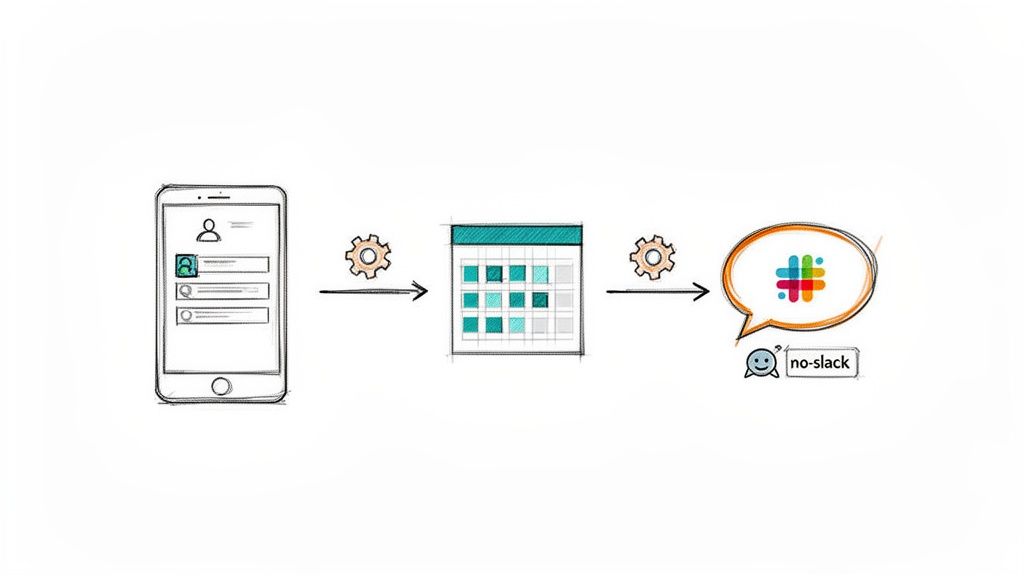
Platforms like Sagekit let you build powerful connections between your apps without writing a single line of code. By linking the tools you already rely on—like Gmail, Slack, and Google Sheets—you can create systems that hum along quietly in the background. Understanding the basics of what workflow automation is will open your eyes to just how many opportunities there are to win back time for your team.
Let’s walk through a few real-world scenarios to show you just how accessible and powerful this can be.
Example One: Streamlining Lead Management for Sales
A classic bottleneck for sales teams is the messy, manual process of handling new leads. A potential customer fills out a form on your website, and a whole chain of manual tasks kicks off.
The Old Way:
- An email notification lands in a shared inbox.
- A sales rep has to spot it, open it, and copy the lead’s details.
- They switch over to a Google Sheet and paste the information, hoping the columns line up.
- Finally, they jump into Slack to tell the right person a new lead is ready for them.
The whole process is slow, full of potential copy-paste errors, and puts a critical delay between someone showing interest and your team actually reaching out.
The Automated Sagekit Way:
- Trigger: Sagekit sees a new lead email arrive in a specific Gmail folder.
- Action 1: It instantly reads the email, pulling out the name, email, and company.
- Action 2: That data is immediately added as a new row in your sales Google Sheet.
- Action 3: A custom alert pops up in a Slack channel, tagging the right rep with all the lead info.
This entire sequence happens in seconds, with zero human effort. Your sales team can now focus on talking to people and building relationships instead of being glorified data-entry clerks.
Example Two: Automating Invoice Processing for Operations
For any operations team, managing invoices is a never-ending cycle of downloading attachments, hunting for key information, and organizing files. It’s practically begging to be automated.
The Old Way:
- An invoice arrives as a PDF attachment in Gmail.
- You download the PDF to your computer.
- You open the file and manually search for the invoice number, due date, and total amount.
- You switch to a tool like Airtable or Notion and create a new record.
- You type in all the data you just found.
The Automated Sagekit Way:
- Trigger: An email with “New Invoice” in the subject line hits your Outlook or Gmail inbox.
- Action 1: Sagekit automatically downloads the attached PDF.
- Action 2: It reads the document, intelligently finding and extracting fields like “Invoice Number,” “Amount Due,” and “Vendor Name.”
- Action 3: It then creates a new item in your Airtable base or Notion database, neatly populating the fields with the data.
This automation turns a tedious, error-prone task into a completely hands-off process. It ensures accuracy and frees up hours of your operations team’s time every single month.
Example Three: Creating an Executive Morning Briefing
Executives and team leads often burn the first hour of their day just trying to get up to speed—piecing together information from a dozen different places. That’s valuable time that should be spent on strategy.
The Old Way:
- Sift through a mountain of unread emails, looking for the important stuff.
- Open Slack to check for direct messages and critical channel updates.
- Hop between several industry news sites to see what’s happening.
- Check your calendar to prep for the day’s meetings.
The Automated Sagekit Way:
- Trigger: The workflow runs on its own every morning at 7:00 AM.
- Action 1: Sagekit scans Gmail for unread emails from key people (like your direct reports or top clients) and summarizes them.
- Action 2: It gathers all your unread Slack mentions from the last 24 hours.
- Action 3: It searches the web for the latest news based on keywords you’ve set for your industry.
- Action 4: It bundles all this info into a clean, simple summary and sends it to you as a direct message in Slack or as an email.
This personal “intelligence officer” gives you a high-signal briefing right when you need it, letting you start your day fully informed and ready to go. As these examples show, the path to a more productive team often starts by simply automating the small, repetitive tasks that secretly eat up so much of our time and energy.
Mastering Communication and Meeting Hygiene
Let’s be honest: all the fancy automation in the world can’t fix a team that’s drowning in interruptions. The real engine of productivity isn’t a tool; it’s a culture built on clear communication and meetings that actually accomplish something. When those human elements break down, focus shatters, frustration climbs, and your team gets stuck in “work about work.”
We’re living in a strange paradox. Hybrid and remote work have proven to be productivity goldmines, but the very tools that make them possible are also a constant source of distraction. Research shows that office workers get interrupted roughly every three minutes, and it can take a staggering 23 minutes to get back on track after each one. You can dig into more of these eye-opening employee productivity statistics yourself. This makes getting a handle on communication absolutely critical.
Taming the Chaos of Digital Communication
Instant messaging apps like Slack are a classic double-edged sword. They’re brilliant for quick collaboration but can easily morph into a never-ending firehose of notifications, yanking everyone out of deep work. The key is to establish some clear rules of engagement.
This really starts with shifting to an asynchronous-first mindset. Not every question needs an answer right now. Encourage your team to use threads religiously—it’s the single best way to keep conversations organized and channels readable. Be intentional about your channels, too. Create dedicated spaces for #team-marketing updates, a #random channel for watercooler moments, and a tightly controlled #urgent-alerts channel for true emergencies only.
A few simple habits can make a huge difference:
- Use Statuses: Make it a habit to set a status like “Deep Work 🎧” or “In a Meeting.” It signals availability without anyone having to type a word.
- Batch Your Questions: Instead of firing off five different messages over an hour, gather your thoughts and send them in one go. It’s a game-changer for the recipient’s focus.
- Default to Threads: This should be a team-wide rule. Any reply to an initial post goes in a thread. Period.
A well-structured Slack isn’t just about looking tidy. It’s about creating an environment that respects everyone’s time and attention. The goal is simple: make information easy to find without demanding an instant response to every single message.
Curing the Inefficient Meeting Epidemic
Meetings are, without a doubt, one of the biggest productivity killers in most companies. So many of them could have been an email, a shared doc, or a quick Slack thread. Before you even think about sending that calendar invite, ask one simple question: “What is the specific, actionable outcome I need from this?” If you can’t answer that clearly, you don’t need a meeting.
For the meetings that are truly necessary, strict hygiene is a must. Every single invitation needs a clear agenda with defined topics and what you hope to decide or achieve. This isn’t just busywork; it’s what allows people to show up prepared to contribute, turning a passive listening session into an active problem-solving one.
Building a Smarter Meeting Workflow
Keeping meetings on track is a skill. A great trick is to schedule them for 25 or 50 minutes instead of the default 30 or 60. This taps into Parkinson’s Law—work expands to fill the time allotted—forcing everyone to be more concise. Plus, it gives people a few minutes back to grab a coffee before their next commitment.
You can also automate the tedious prep work. For example, a simple Sagekit workflow can get everyone up to speed automatically. Imagine it pulling the latest project updates from Asana, grabbing the relevant documents from Google Drive, and posting a summary in Slack for all attendees an hour before the meeting. If you want to see how this works, check out our guide on linking your Google Calendar and Slack to build this out.
By combining disciplined human practices with smart automation, you can transform meetings from time-sucking obligations into genuine drivers of progress. It’s this focus on the human side of the equation that ultimately builds a productive and sustainable team culture.
Common Questions About Boosting Team Productivity
Even with a solid plan, you’re bound to hit a few roadblocks. Let’s be real—changing how a team works is a process, not a flip of a switch. Below, I’ve tackled some of the most common questions I hear from leaders who are in the trenches, trying to make these changes stick.
My goal here is to give you straight, practical answers so you can confidently handle these hurdles as they come up.
How Do I Measure Productivity Without Micromanaging?
This is the big one, isn’t it? It’s a delicate balance. Nobody does their best work when they feel like Big Brother is watching their every move. The trick is to stop tracking activity and start measuring outcomes.
Forget about hours logged or emails sent. Instead, anchor everything to the Key Results you already set as a team.
- Sales team? The metric is qualified demos booked per week. Are we hitting our number?
- Marketing team? Is organic search traffic climbing toward that 40% goal?
- Support team? How’s our customer satisfaction (CSAT) score looking this month?
When the focus is on shared, transparent goals, it shifts the entire dynamic. It becomes less about individual surveillance and more about a team rallying to win together. You’re spotting team-wide obstacles, not policing how long someone took for lunch.
Pro Tip: Post your team dashboards where everyone can see them—a shared Slack channel, a TV on the wall, whatever works. When the whole team can see the score, it creates a natural sense of ownership. People start holding themselves accountable.
How Can I Get My Team on Board with New Tools and Workflows?
People naturally resist change. The classic mistake is to just announce a new tool and expect everyone to jump for joy. That almost never works.
You have to frame the new tool or process as the solution to a problem they already feel. This is why you involve them from the very beginning. When you ask your team, “What’s the single most annoying task you have to do every week?” you’re not just collecting data; you’re getting their buy-in.
Once you’ve identified a shared pain point—say, mind-numbing data entry—you can introduce an automation tool as the hero that will solve that specific headache.
Show them the magic. A simple “This used to take you 30 minutes of copy-pasting, and now this Sagekit workflow does it in 10 seconds” is incredibly powerful. When the benefit is that personal and immediate, you won’t have to push for adoption—they’ll pull it from you.
What Are the Best First Tasks to Automate?
It’s easy to get ambitious and try to automate some massive, complex process right out of the gate. My advice? Don’t. Start small.
Go for the quick wins. Look for tasks that are simple to build but deliver a huge dose of relief.
Your ideal first automations will check these boxes:
- High Frequency: It happens every single day, or at least multiple times a week.
- Low Complexity: It’s a basic, rules-based job, like moving data from one place to another.
- Universally Hated: It’s a task that makes everyone on the team groan.
A great place to start is automatically piping new lead data from a web form straight into your CRM or a Google Sheet. Another winner is creating a daily “morning digest” that pulls unread messages from Slack and email into one place. These small victories build momentum and get the team genuinely excited to ask, “What can we automate next?”
Ready to get rid of repetitive work and give your team back hours every week? Sagekit makes it easy to build powerful automations with a simple chat interface, connecting the tools you already use. Start automating for free today at sagekit.com.