
Artificial Intelligence Report Writing for Smarter, Faster Reports
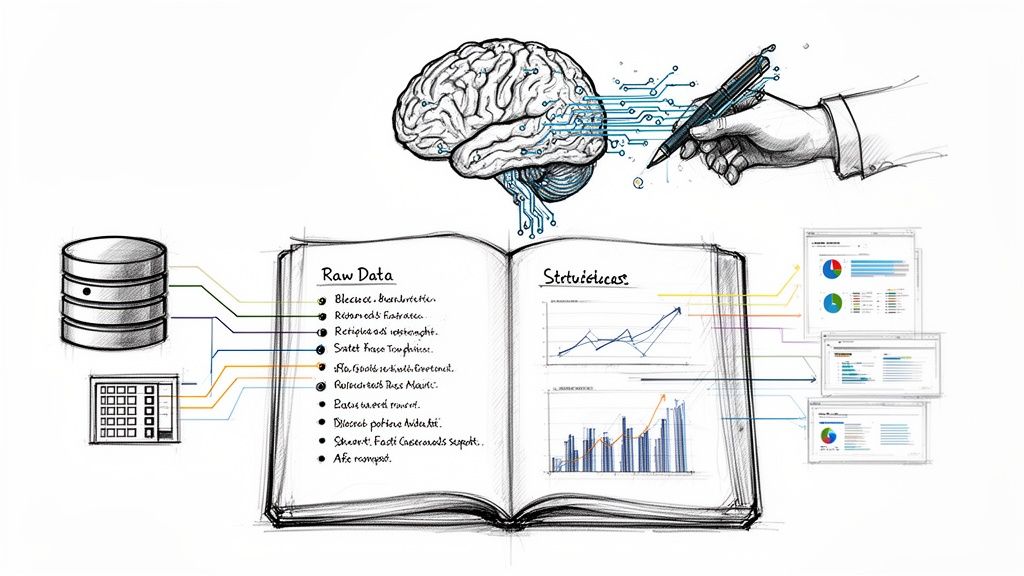
When we talk about using AI to write reports, we’re not talking about some far-off future where robots do all the work. It’s happening right now, and it’s less about replacing people and more about giving them a serious upgrade. Think of it as a powerful co-pilot that helps you produce better, more insightful reports, but way faster.
How AI Actually Changes Report Writing
Let’s cut through the noise. Using AI for reports isn’t about pushing a button and getting a perfect final draft. It’s about handing off the most mind-numbing, time-sucking parts of the process so you can focus on what you’re actually paid to do: think.
If you work in marketing, finance, project management, or really any field that relies on data, you know the drill. You spend hours, maybe even days, just pulling information from different systems, wrestling it into a spreadsheet, and trying to shape it into a coherent story. That’s the grunt work AI was born to do.
You’re No Longer a Data Gatherer—You’re a Strategist
Once you let an AI handle the initial data crunching and drafting, your role shifts in a really important way. You move from being a creator of documents to a curator of insights. Instead of getting lost in the weeds of what the data says, you get to spend your time figuring out why it matters and what to do next.
Here’s what that looks like in the real world:
- Finding the Signal in the Noise: An AI can instantly scan thousands of customer feedback entries or a year’s worth of sales data to spot trends and patterns you might never see.
- Getting a Head Start on Drafting: It can generate a solid first draft—complete with an executive summary and key findings—giving you a structured starting point in minutes, not hours.
- Sparking Deeper Analysis: By prompting the AI with specific questions, you can uncover hidden correlations and outliers that lead to genuine “aha!” moments.
The point of AI in reporting is to elevate your role, not eliminate it. It frees you from the mechanical drudgery so you can apply your expertise, add crucial context, and build a narrative that actually persuades people to take action.
This isn’t some complex technical skill you need a degree for. It’s a practical way to deliver smarter, data-driven reports in a fraction of the time it used to take.
Laying the Groundwork for Smart AI Reporting
Diving into an AI tool without a clear game plan is like asking for a generic, flimsy report. You’ll get something, but it won’t be what you need. The real magic happens in the prep work, which is how you turn a simple text generator into a sharp analytical partner.
Before you even think about writing a prompt, you have to nail down the report’s purpose. Who’s reading this? An executive wants the 30,000-foot view with key KPIs, but a project team needs the nitty-gritty details on weekly progress and roadblocks. You have to know exactly what questions this report needs to answer.
Getting Your Data AI-Ready
Think of your AI as a brilliant assistant that takes everything you say literally. It can only work with the information you provide. If your raw data—from databases, surveys, or APIs—is a mess, your results will be too. Something as simple as an inconsistent date format or jumbled column headers in a spreadsheet can throw the whole analysis off track.
Clean data is the absolute foundation of quality AI-driven reporting. For a deeper dive into managing this process, this comprehensive AI guide offers some great insights.
A little tidying up goes a long way. Focus on these simple things:
- Standardize Naming: Make sure “Q3 Sales” is always “Q3 Sales,” not “Third Quarter Revenue” or “Sales Q3.” Consistency is key.
- Cut the Clutter: Analyzing website traffic? Those columns with internal IP addresses are just noise. Get rid of them.
- Fill in the Blanks: Look for empty cells or missing data that could skew your results. Decide whether to fill them in or just exclude those records from your analysis.
This process fundamentally changes your workflow, shifting the focus from tedious manual tasks to high-level strategy.
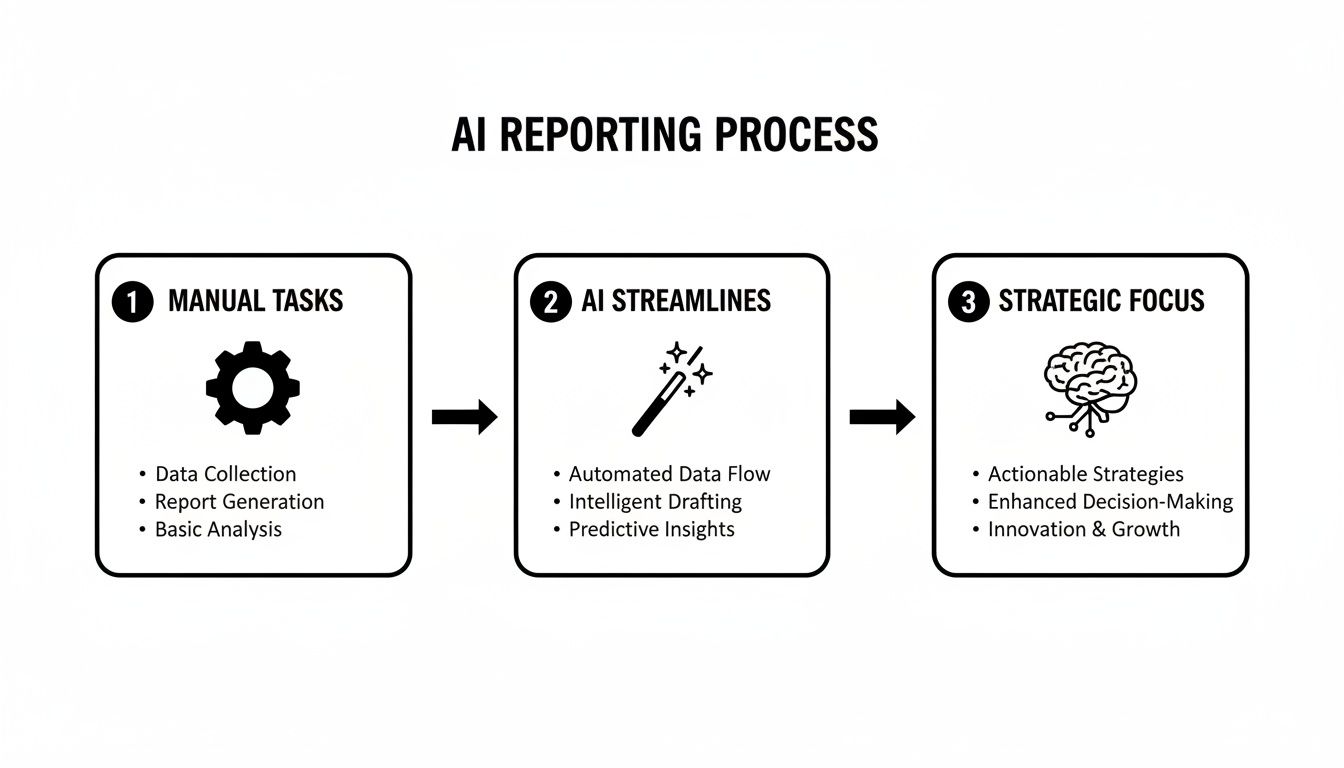
The big win here is automation. AI takes over the repetitive, soul-crushing parts of reporting, giving you back precious time to actually think about what the data means.
Nailing Down a Crystal-Clear Objective
Once your data is clean, the final piece of the puzzle is setting a laser-focused objective. A vague goal like “analyze sales data” will get you an equally vague report.
Be specific. Instead of the above, try this: “Identify the top three marketing channels that drove the most Q4 leads for our new software product and calculate their exact conversion rates.”
This level of specificity is non-negotiable. It gives the AI clear marching orders, preventing it from wandering off-topic and ensuring the final report is sharp, insightful, and hits your business goals right on the head.
By putting in this effort upfront, you’re essentially creating a perfect brief for your AI. This initial time investment pays for itself tenfold by making sure you get the right report, not just a report. As you get started, exploring different AI tools for productivity can also point you toward the right platform for your specific data and reporting needs.
Crafting Prompts That Generate Great Reports
The quality of any report you get from an AI comes down to one thing: the quality of your instructions. If you give it a vague, one-line request, you’ll get a generic, uninspired draft back. The secret is to stop thinking of AI as a magic box and start treating it like a hyper-literal, incredibly fast intern who needs a detailed brief to do their best work.
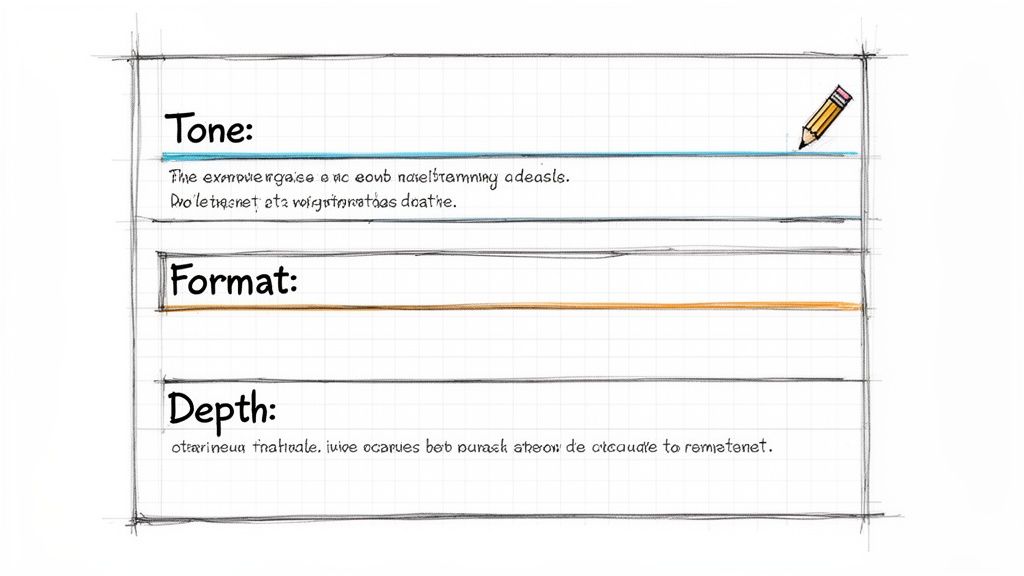
Learning how to write effective AI prompts is the most important skill you can develop for this process. It’s the difference between a bland summary and a sharp, insightful analysis that actually helps you make decisions.
The Anatomy of a Powerful Prompt
To really get the best results, your prompts need to be layered with specific instructions. A great prompt isn’t just a question; it’s a comprehensive brief that guides the AI toward the exact output you have in mind.
To make this practical, here’s a table breaking down the key pieces of a high-impact prompt. Including these elements will drastically improve the relevance and structure of your AI-generated reports.
Key Components for High-Impact AI Prompts
| Component | What It Does | Example Snippet |
|---|---|---|
| Role & Goal | Assigns a persona to the AI and states the report’s purpose. | ”Act as a senior marketing analyst. Your goal is to summarize our Q3 campaign performance for an executive audience.” |
| Context & Data | Provides the necessary background information and the data source. | ”Using the attached CSV file of sales data from July 1 to Sept 30…” |
| Task & Action | Gives a clear, direct command on what the AI should do. | ”…identify the top three performing ad campaigns by conversion rate.” |
| Format & Tone | Specifies the desired structure and writing style. | ”Present the findings in a bulleted list. The tone should be formal and concise.” |
By weaving these elements together, you’re leaving very little room for the AI to misunderstand your request. This approach is what takes you from simple text generation to true report automation.
From Simple Commands to Strategic Requests
Let’s move past the basics. Asking the AI to “Summarize Q3 sales” is far too broad and will get you a uselessly generic response. A truly strategic prompt layers in details that ensure the final output is valuable.
Here’s a much more effective version:
“Act as a financial analyst creating a concise, executive-level summary of our Q3 sales data. Using the provided spreadsheet, highlight the three key positive trends and identify the single biggest outlier in product performance. Format the output with a brief introductory paragraph, followed by a bulleted list for the trends and a separate sentence for the outlier. Maintain a professional and data-driven tone.”
See the difference? This prompt works because it’s incredibly specific. It defines the AI’s role, points to the exact data, dictates the analytical focus (trends and outliers), and spells out the final format. This level of detail is what makes a report immediately useful.
As you get better at this, you can build a library of your best prompts. For some great examples of how structured requests are built for different tasks, you can explore a pre-built AI prompt library.
This isn’t just a niche skill anymore. In 2025, an estimated 71.7% of content marketers are using AI to help outline reports and articles, making it the most common way they use the technology in their writing process. On top of that, 68% use it for brainstorming ideas, while 57.4% rely on it for churning out initial drafts. It’s clear that AI is becoming foundational to report creation, and mastering the prompt is your key to getting the most out of it.
Using AI to Uncover Data-Driven Stories
Let’s be honest, raw data is just a pile of numbers until you find the story hiding inside. This is where AI really starts to pull its weight in report writing, helping you weave a compelling narrative from complex datasets—one that actually convinces people to act. It’s the difference between showing a bar chart and explaining why that bar chart matters.
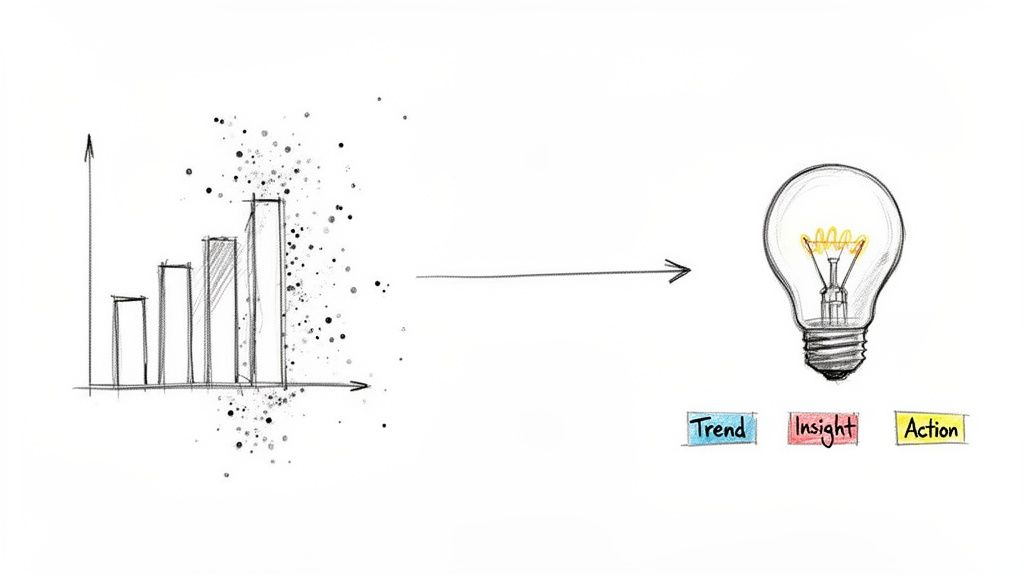
This isn’t some black-box magic; it’s about asking smart questions. You can feed an AI thousands of customer reviews and ask it to pinpoint the top five themes that keep popping up, both good and bad. Think about the power of knowing that “slow shipping” is mentioned 3x more than any other complaint, all without having to manually read a single review.
From Raw Data to Actionable Insights
The real breakthrough with AI is its knack for connecting dots that a human analyst might easily miss. You can drop in raw sales figures and ask the tool to hunt for hidden correlations. It might uncover that customers who buy Product A are 45% more likely to purchase Product B within two weeks. Just like that, you’ve stumbled upon a massive cross-selling opportunity that was buried in the data.
This ability is quickly changing how we all work. In fact, a recent workplace survey found that by Q3 2025, over 40% of AI users will rely on it to consolidate huge amounts of information (42%), brainstorm new ideas (41%), and get up to speed on new topics (36%). These are the exact skills needed to build a great report. It’s a clear sign that AI-powered knowledge management is becoming standard practice.
To get these kinds of results, you need to be specific and focus on outcomes. Try prompts like these:
- For Trend Analysis: “Analyze our website traffic data for the last six months. What were the top three referral sources that led to conversions? Show me the month-over-month trend for each one.”
- For Customer Sentiment: “Go through these 1,500 customer support tickets from Q2. What are the five most common issues? Pull three direct quotes for each that really show the problem.”
- For Performance Summaries: “Write an executive summary of our social media performance across all channels. Which campaign had the best ROI, and what was the specific return?”
This method of pulling insights from data is fundamental to modern business. If you’re looking to get a better handle on organizing all this information, our guide on knowledge management best practices is a great place to start.
Crafting a Clear Narrative
Once you have these key insights, the final job is to package them into a story that your stakeholders can grasp and act on right away. AI is a huge help here, too. After you’ve identified the core findings, you can have the tool draft different summaries for different people.
Prompt your AI to: “Generate a one-paragraph executive summary for the CEO” and follow it up with “Now, create a detailed, bulleted list of action items for the marketing team based on the same findings.” This simple trick ensures your data-driven story hits home with everyone who needs to hear it.
Why Human Expertise Still Matters
Getting a draft report from an AI is an incredible head start, but let’s be clear: it’s just a draft. The most important part of the entire process is the human touch you bring to the table. I like to think of AI as a brilliant junior analyst—it’s lightning-fast and great at digging up information, but it completely lacks the seasoned judgment that only comes from real-world experience.
Your expertise is what turns a decent draft into a credible, authoritative document. AI models have been fed staggering amounts of data, but they don’t truly understand your business, your specific audience, or the subtle currents of your industry. That’s where you come in, and frankly, it’s what makes you irreplaceable.
Validating the AI’s Output
Your first and most critical job is to put on your editor’s hat and be skeptical. An AI can summarize information with breathtaking speed, but it can also misunderstand data or, in some cases, invent plausible-sounding falsehoods—what we call “hallucinations.” You absolutely need a solid validation process.
This means getting your hands dirty:
- Fact-Check Every Key Claim: If the AI spits out a report claiming a 25% increase in quarterly revenue, your immediate next step should be pulling up the actual sales dashboard to confirm it. No exceptions.
- Trace Data Back to the Source: Don’t just take the summary at face value. I always spot-check several key data points by following the breadcrumbs back to the original spreadsheet, CRM export, or database query.
- Question the Narrative: Does the story the AI is weaving together actually make sense based on what you know about the market? If a conclusion feels off, trust your gut and dig in. That instinct is one of your most powerful validation tools.
This “human-in-the-loop” approach isn’t a sign that the AI is failing; it’s the signature of a professional, responsible workflow.
Your domain expertise is the firewall against inaccuracy. You’re the one who provides the strategic interpretation, the healthy skepticism, and the final sign-off that ensures the report isn’t just fast, but right.
Adding Context and Nuance
Once you’ve confirmed the facts are straight, your next job is to add the color and context an algorithm simply can’t provide. While the enterprise AI market is on track to hit $97.2 billion in 2025, public trust is still fragile—only 11% approve of AI being used for news writing. You can find more details on how public perception shapes AI adoption on Fullview.io. This tells us there’s a huge demand for human oversight, and that’s the role you’re stepping into.
You’re the person who knows that a strange “outlier” in the sales data was actually from a one-off promotional event—a critical piece of context the AI would have no way of knowing. You can also finesse the tone, making sure the report sounds like it’s coming from your company and will connect with the people it’s meant for.
This final polish is what builds credibility and makes your conclusions solid, defensible, and ready to be acted on.
A Few Common Questions About AI Report Writing
Whenever you bring a new tool like AI into a critical process like reporting, questions are going to pop up. It’s only natural. Let’s tackle some of the most common ones I hear from teams who are just getting started.
How Can I Be Sure My AI Report Is Accurate and Not Just Made Up?
This is the big one, right? Accuracy is everything in reporting, and the fear of an AI “hallucinating” or just inventing facts is completely valid. The good news is, you can put guardrails in place to keep your reports grounded in reality.
First off, your best bet is to use AI tools that plug directly into your data sources. Whether it’s your company’s CRM, a database, or even a specific spreadsheet you upload, this forces the AI to work with your confirmed numbers, not just pull from its vast, general knowledge.
But even then, you should never treat the AI’s output as the final, polished product. Think of it as a very smart, very fast first draft. Always have a human in the loop for a final check. If the AI report says sales jumped by 15%, your next step should be opening the sales dashboard and verifying that exact number yourself.
My biggest tip here: Get incredibly specific with your prompts. Don’t just ask, “How did sales do last quarter?” That’s an open invitation for vague answers. Instead, try something like, “Using the attached CSV of Q3 sales data, summarize the top three performing regions and calculate the percentage change in revenue from Q2.” This gives the AI clear instructions and much less room to go off-script.
What Kinds of Reports Should I Automate First?
It’s tempting to throw your most complex strategic analysis at the AI right away, but that’s a recipe for frustration. You’ll get the quickest wins—and build confidence—by starting with reports that are:
- Routine and Recurring: Think about those weekly social media reports, monthly sales summaries, or project status updates you have to build like clockwork.
- Heavy on Data Pulling: Any report that requires you to pull metrics from a bunch of different places and arrange them is a perfect candidate for automation.
- Predictable in Format: If the report looks the same every single time, an AI can replicate that structure flawlessly.
These reports are usually tedious but essential—the ideal work to hand off. Save the highly subjective or creative stuff, like five-year strategic plans or deep qualitative market research, for when you’ve really got your AI workflow dialed in.
Can an AI Actually Match Our Company’s Brand Voice?
Yes, and this is where AI really starts to shine for teams. Keeping a consistent tone and style across all your communications is a challenge, but an AI can be your secret weapon for enforcing it.
The key is creating a “style guide” prompt—a reusable chunk of text you include with every report request. This prompt acts as a set of instructions for the AI, telling it exactly how you want things to sound and look.
You can get really detailed with it. Here’s what a simple one might include:
| Element You Define | What It Does | A Quick Example |
|---|---|---|
| Tone of Voice | Sets the overall feel of the writing. | ”Write in a formal and authoritative tone.” |
| Formatting Rules | Specifies how to structure the information. | ”Always use bullet points for key findings.” |
| Specific Phrasing | Gives the AI preferred terms to use. | ”Refer to our customers as ‘partners,’ not ‘clients’.” |
| Words to Avoid | Lists jargon or phrases you don’t want. | ”Do not use words like ‘synergy’ or ‘utilize’.” |
Once you build a style template like this, you can share it with your whole team. Suddenly, every report has the same professional polish, no matter who generated it.
Is AI Going to Make My Reporting Job Obsolete?
I hear this concern a lot, but what I’ve seen in practice is that AI evolves reporting jobs, it doesn’t eliminate them. Think about it: AI is fantastic at the grunt work—pulling data, doing initial calculations, and formatting the first draft.
This frees you and your team from the most time-consuming parts of the job. Instead of spending hours just building the report, you can focus on the high-value work only a human can do: interpreting the “why” behind the numbers, spotting trends, and telling a compelling story with the data to your stakeholders.
Your role simply shifts from being a report creator to a report strategist. The people who learn to use AI as a powerful assistant will become more efficient and more valuable, not obsolete.
Ready to stop the busywork and start automating your reports? Sagekit turns your simple requests into powerful, cross-app workflows. Connect your tools, chat with Sage, and build the systems that give you back your time. Start automating for free on Sagekit.com.